


Reduce the back-and-forth and lock in the right support, faster
Introducing instant booking: The faster way to connect on Mable.
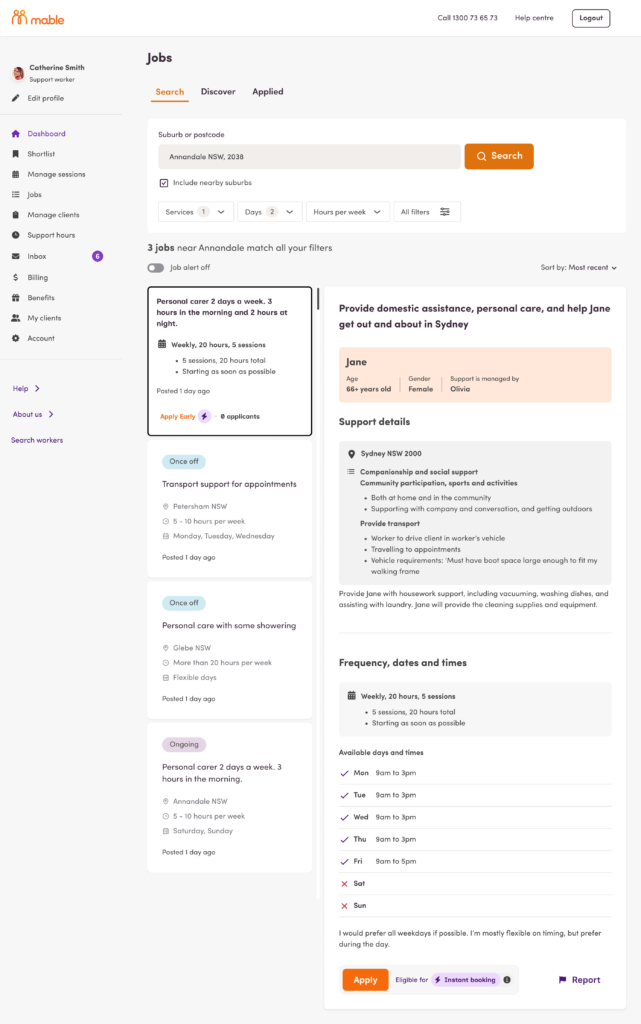
This new feature allows independent support workers to include their agreement with their job application, giving clients the key details up front so they can instantly book specific jobs without the back-and-forth.
For clients: Support, simplified
Support workers can include their agreement with their application, giving you the key details up front to help you choose the right person.
- Save time and effort with more of the support worker’s information up front, including rates, services and availability. This makes it quicker to review applications and get support in place.
- Lock in a support worker straight from their application. Once you accept their agreement, you can get in touch to schedule your sessions.
- Choose with confidence knowing however you book, every support worker has been rigorously verified by the Mable team and you always have the final say over who provides your support.
For independent support workers: Less admin, more work
Minimise admin and get to your next support session faster.
- Make it easier for clients to choose you by providing your agreement with your rates, services and availability upfront. Giving clients details early may help them decide to work with you more quickly.
- Save time and reduce admin by providing key details at the start, reducing negotiations later and removing the need to create agreements after long conversations.
- Book with confidence knowing you’re covered by our support worker insurance when you accept bookings on Mable.
How it works
How instant booking works
- Application: For jobs where instant booking is available, support workers include their proposed agreement when applying for a job.
- Review: Clients review the application, including the specific rates and services offered.
- Match: The client accepts the agreement, and the support worker is locked in.
- Connect: Once the agreement is accepted, you can get in touch to schedule your first session!
Learn more about how instant booking works in our Help Centre guide.